Guide
Eight steps, in the order you'll meet them in the app.
Click any screenshot to enlarge it.
Choose a disk or folder
Select the location to scan from the Overview screen. Duplicount asks for access once and remembers it for next time.
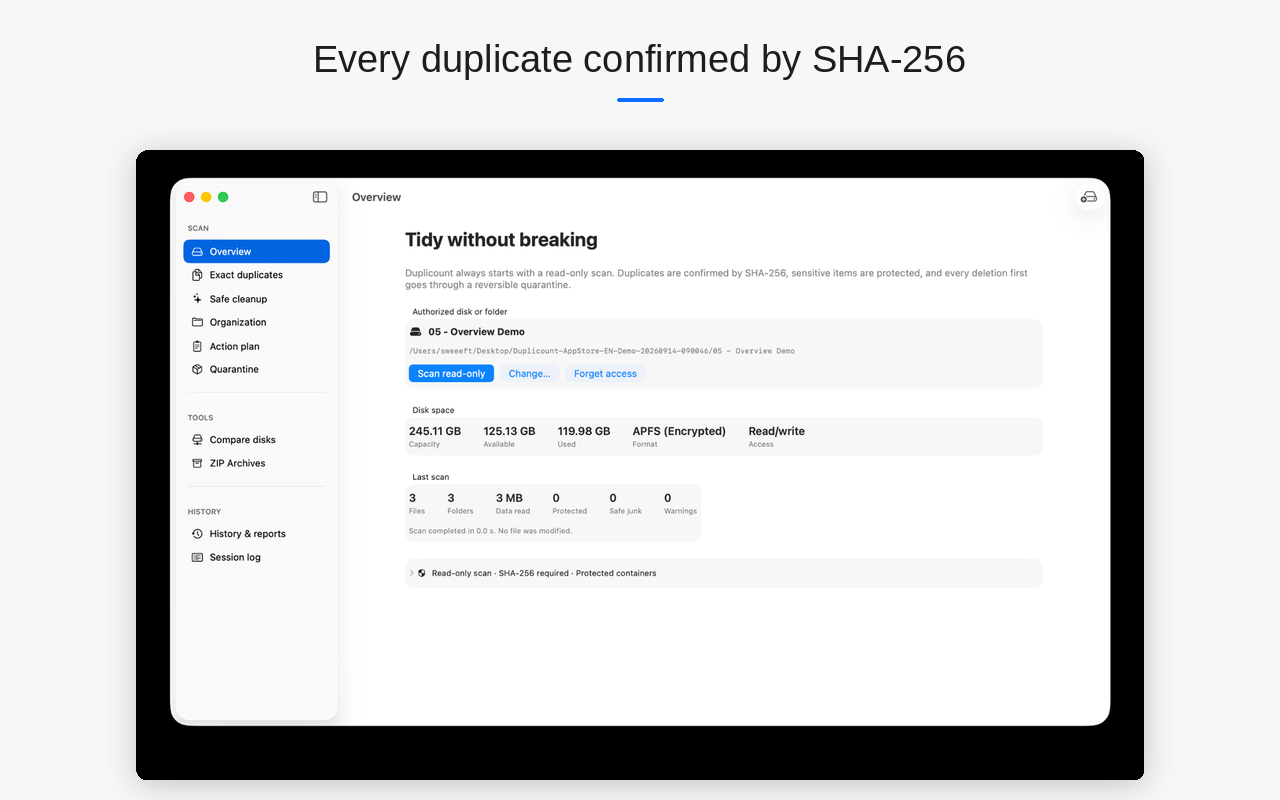
Run the read-only scan
Duplicount inventories the chosen location without changing anything — it's a read, not an action.
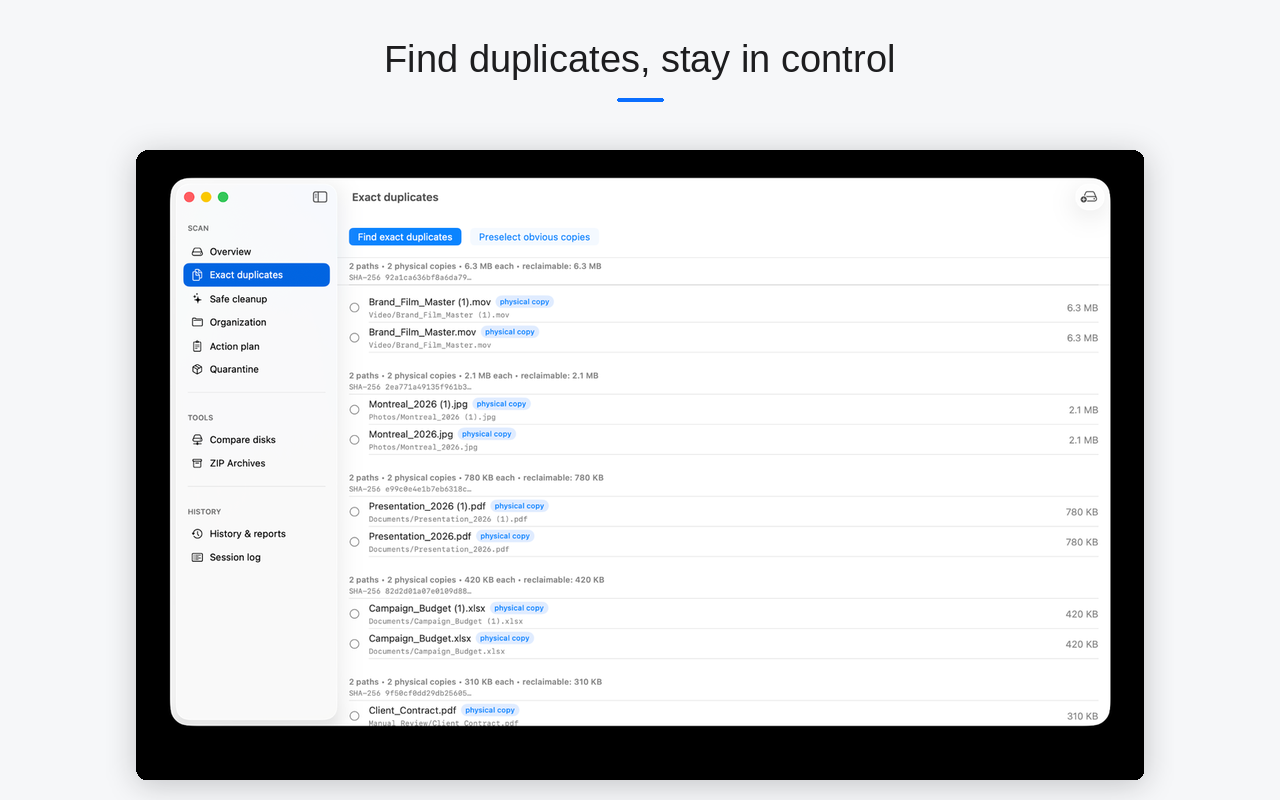
Review exact duplicates
Every group shown shares the same SHA-256 fingerprint. You see the reclaimable space before selecting anything.
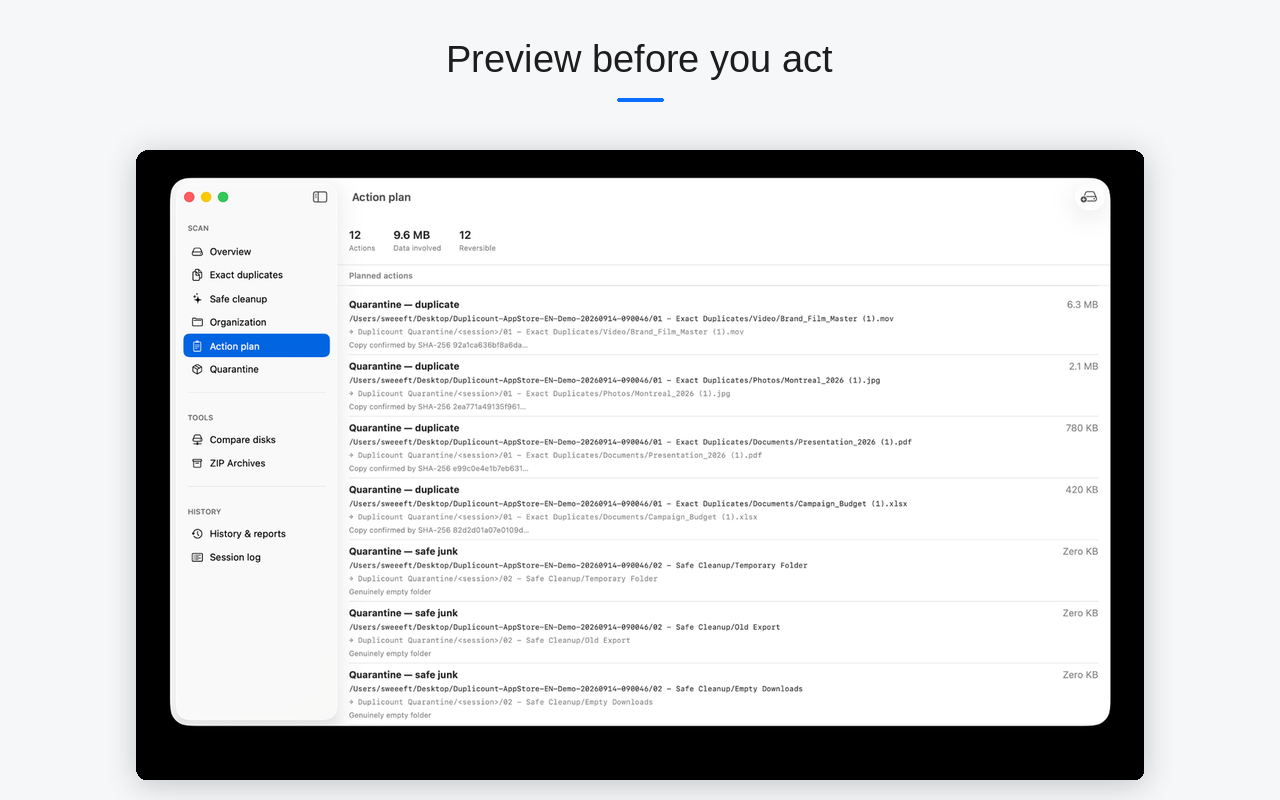
Check the Action Plan before acting
A full preview of the planned actions — how many items, how much data, and what's reversible — before you confirm anything.
Move to quarantine
Selected items are moved to a reversible location. Nothing is deleted at this step.
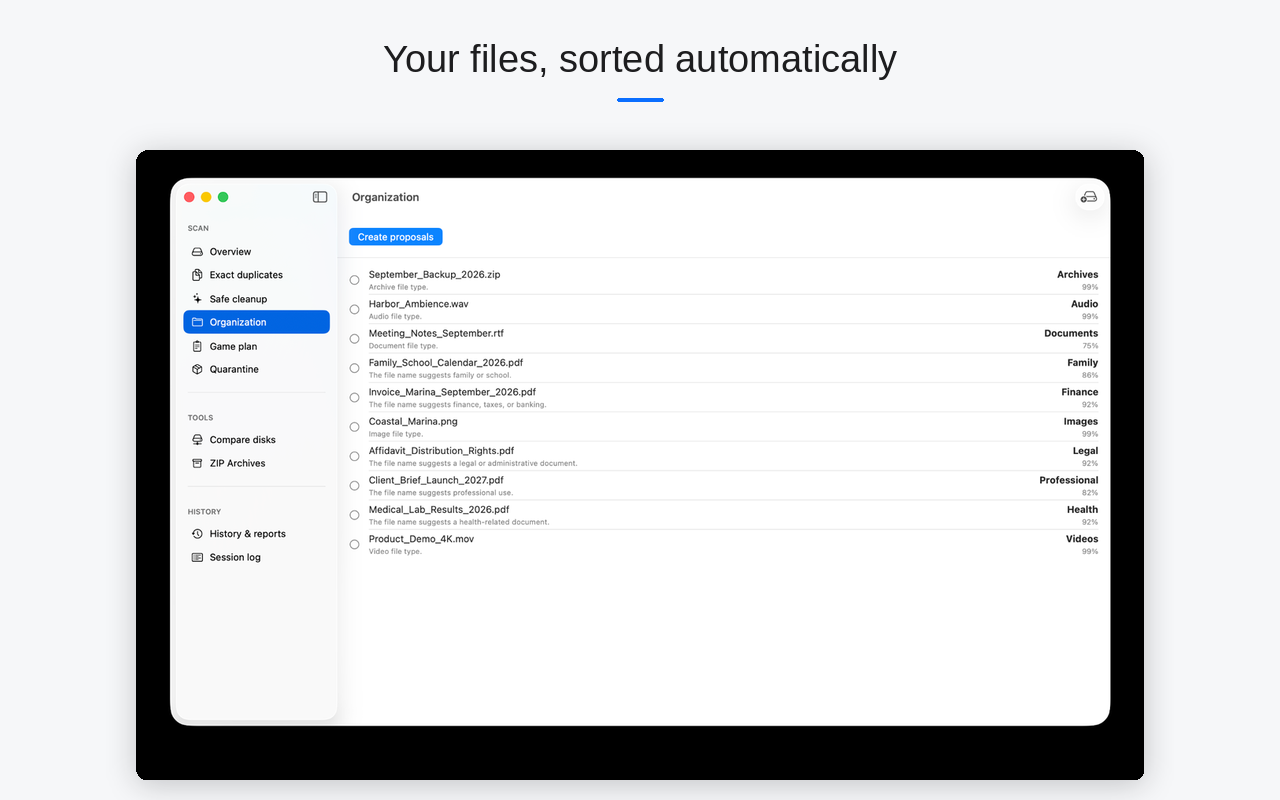
Organize loose files
Duplicount suggests categories based on each loose file's name and type, with a confidence level shown for every suggestion.
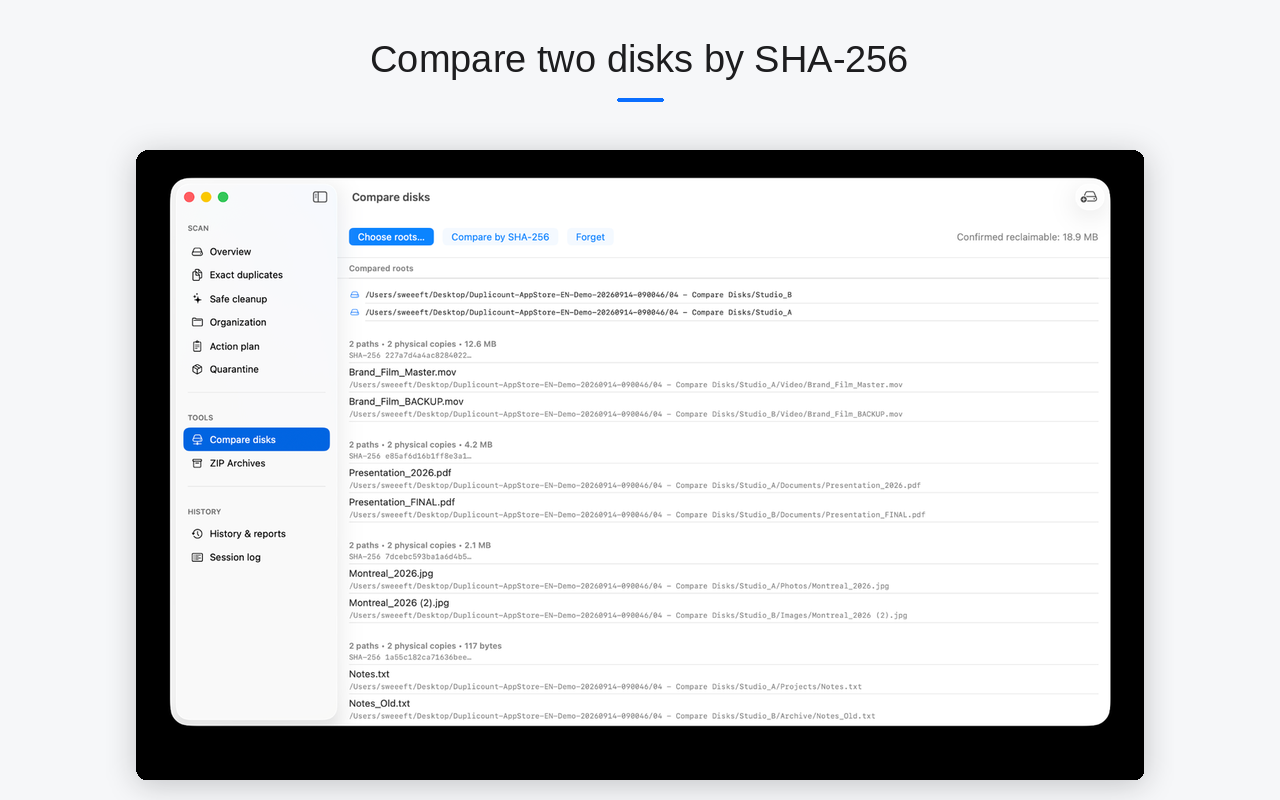
Compare disks
Compare two disks or folders by SHA-256 to spot duplicates shared between two separate locations.
Permanently delete the quarantine
The only irreversible step in the flow. Duplicount shows available space before and after, and the exact number of bytes deleted.